Understand your PC without digging through a dozen system tools.
PCOps Assistant brings Windows health, hardware, memory, storage, drivers, startup, updates, software and diagnostic history into one clear desktop experience.
Clear diagnostics, without the clutter.
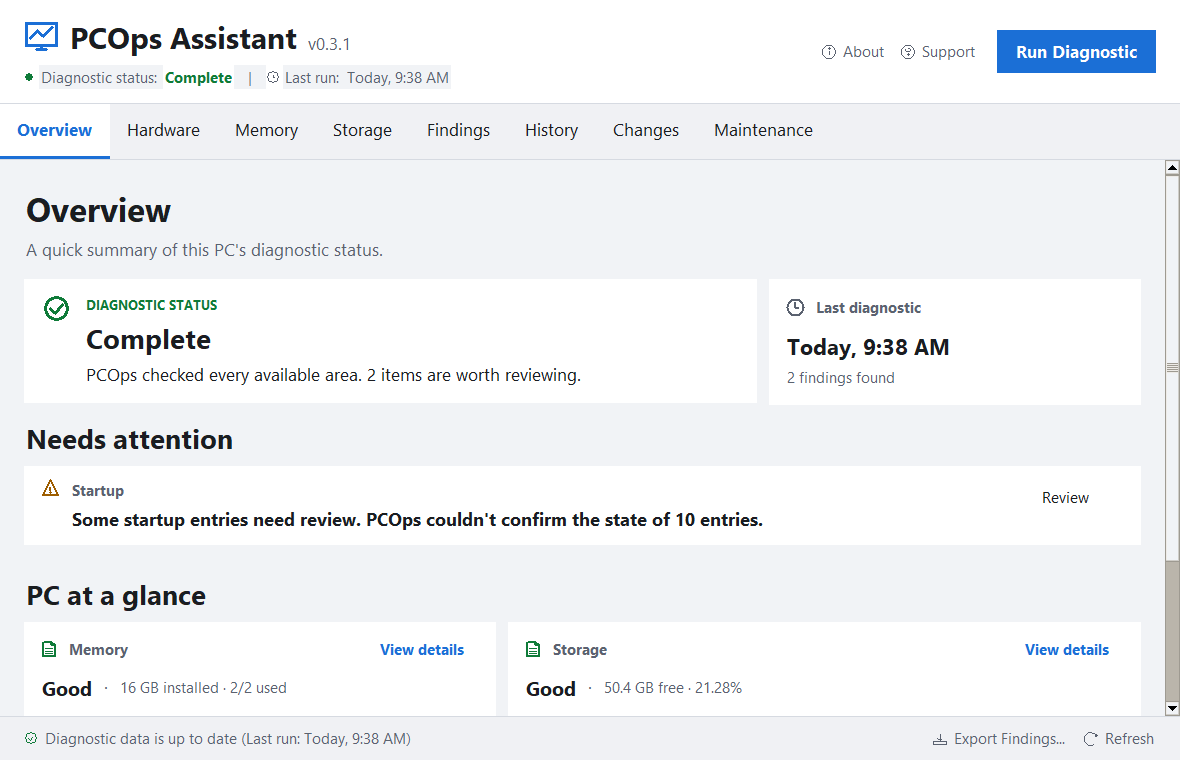
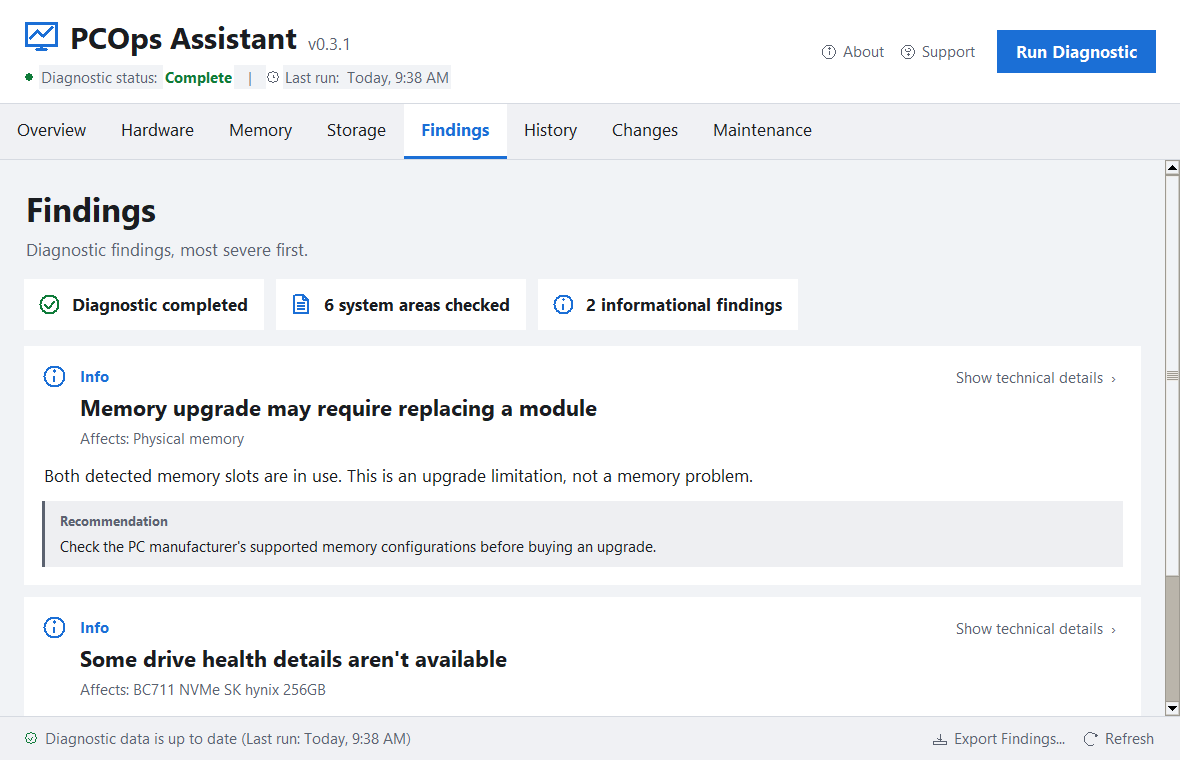
Real PCOps screens from the Free diagnostic experience.
One place to see what matters
PCOps is designed for people who want useful answers, not another wall of raw system data.
Unified diagnostics
Review operating system, hardware, installed RAM, storage, drivers, startup programs, Windows Update readiness, installed software and system-health signals from one interface.
History and changes
Save diagnostic history locally and compare scans to understand what changed over time.
Safety-first actions
Diagnostic scans are read-only. Actions that can change the system are separated from diagnosis and require explicit authorization and safety checks.
Plain-language findings
PCOps turns technical observations into prioritized findings with context for the user.
Local-first privacy
The core diagnostic workflow runs locally. PCOps does not require an account, telemetry or analytics for normal diagnostic use.
Independent development
PCOps is developed by Alexis Bernal with a pioneering, safety-driven approach to PC diagnostics for the AI era.
Local by default
Saved diagnostic history stays on your computer in a local database. PCOps does not read the contents of personal documents, browsing history, passwords or Windows product keys during normal diagnostics.
Start with PCOps Free
PCOps Free is a permanent diagnostic edition with no card and no time limit. Use the core diagnostic on your own PC before deciding whether you need more.
PCOps Free
Core diagnostic, Overview, Hardware, Memory, Storage, Findings, installed software inventory, Startup overview and Windows Update readiness.
No card. No trial clock.
PCOps Full
Adds software-update workflow, driver analysis, health-event analysis, drive-usage analysis, saved History, Changes between scans and Findings export.
Full is planned as a one-time purchase, not a subscription. Live purchasing will appear here only after production licensing and release checks are complete.
Built independently
PCOps Assistant is independently developed by Alexis Bernal with a safety-first, local-first approach to Windows diagnostics for the AI era.
PCOps 1.0.16 includes the Free/Full product structure. Public distribution will begin only after final release checks are complete.